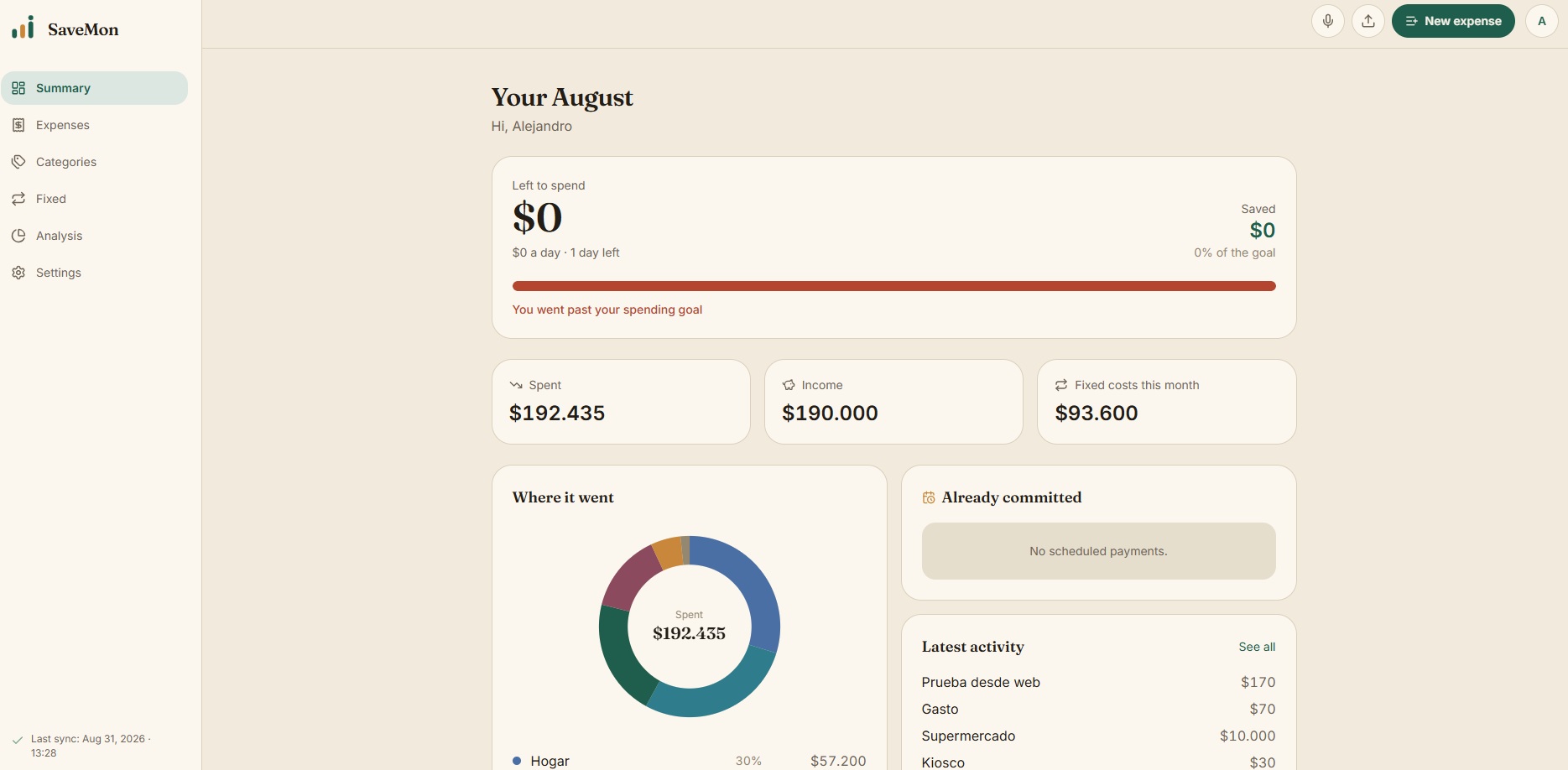
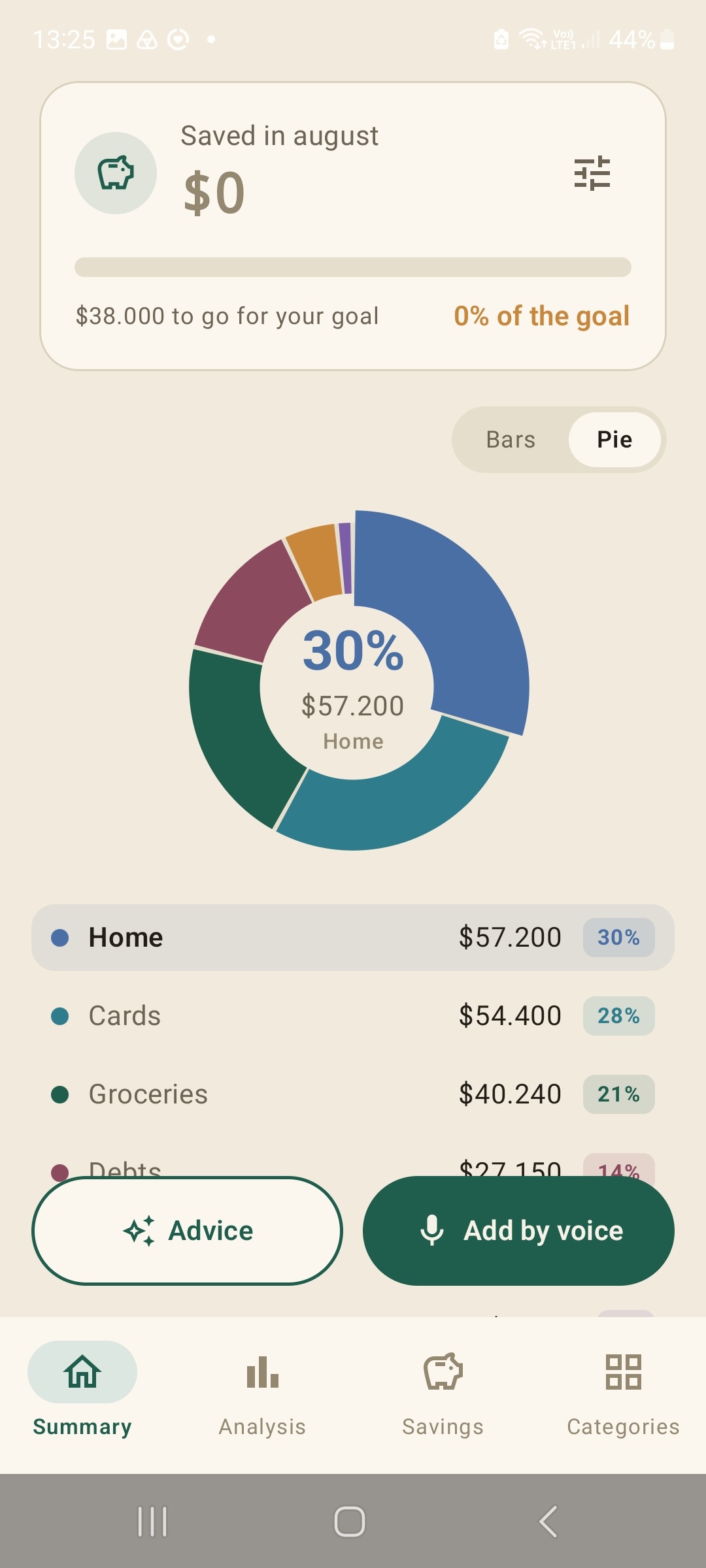
Keep track without complicated spreadsheets. Add expenses by speaking, taking a photo of a receipt, or letting the app securely read your bank notifications.
SaveMon integrates an AI-based Smart Advisor specifically trained in personal finance. Ask questions, detect hidden expenses, and receive tips to optimize your savings. The more information you add, the better its reports and strategies will be to help you achieve your goals.
Everything you need in one place
Total control over your income, expenses, and privacy.
🎯
Goals and Wallets
Set savings goals and create multiple wallets (bank, cash, cards) to know exactly where your money comes from and where it goes.
⚡
Automatic Detection
The app detects expenses by reading your phone notifications. Without connecting to your bank, keeping your credentials secure.
🤝
Shared Accounts
Ideal for couples. Share your expense account with someone else to manage the household budget as a team and in real-time.
🔒
Biometric Security
Lock the screen with PIN, fingerprint, or Face ID. Your financial information is yours alone and no one else can access it.
🛡️
Absolute Privacy
Your data is saved on your phone with an option to backup to the cloud. You have total control: you can delete all your information whenever you want.
📱
Multiplatform
Use SaveMon on your phone or from the comfort of your computer. Also, choose between light and dark mode to protect your eyes.
Frequently Asked Questions
Quick answers to get the most out of SaveMon.
General Information
What is SaveMon?
SaveMon is an application that allows you to track your expenses and use AI to optimize them, with the goal of achieving your savings goals. Log your expenses by speaking naturally, typing, or taking pictures of receipts; it's super simple. It is currently available for Android and in a web version for desktop computers.
Is SaveMon available on iOS, Android, and PC?
It is currently available for Android and PC (web version), and we are working on a version for iOS. To access the web or PC version, you must first install the app on your mobile phone and register to manage your expenses from both devices.
What languages does SaveMon support?
The application is available in Spanish, English, and Portuguese. Our AI perfectly understands all three languages, whether you type or speak to it. The web version is also available in these three languages.
How much does SaveMon cost?
SaveMon offers some free features and other paid ones, in monthly or annual subscription plans. The most advanced features, such as AI, are in the paid version as they involve additional costs in tokens, servers, and maintenance to keep the platform updated and secure. The web version can be used once a subscription plan is purchased; for less than the price of a coffee, you'll be investing in the control of your finances and the smart management of your savings.
Expense Logging and Management
How can I log expenses in the app?
You have several options: you can do it manually by typing each expense, by voice speaking naturally, by taking a photograph (for example, of a receipt), or by attaching an image. From the web version, you can also attach PDF files, such as bank statements.
How does voice expense entry work?
Simply speak naturally in your language. You can say something like "I bought a drink for $8 at the supermarket" and the expense will be logged automatically. Before saving it, you can confirm everything is correct or, if you wish, change the category selected by the AI, set a subcategory, and even the payment method you used. You can also indicate if it's a recurring payment or in installments.
Can I create my own expense categories?
Yes, SaveMon allows you to fully manage categories and subcategories. You can name them whatever suits your needs best and edit them whenever you want, even the default ones.
Can I use different currencies?
Yes, in the Settings section you can select different types of currencies. Even when entering expenses, you will see a small calculator in case you need to quickly make a conversion, for example, from dollars to your local currency.
Can I set different income sources?
Yes, in the Settings section you can configure different wallets or income sources, whether it's a bank, cards, cash, checks, etc. All this data is customizable and adaptable to your needs. Best of all, the AI learns from them, so it can provide you with better advice and reports.
Smart Features
Can I generate reports with AI?
Yes, it is one of our favorite features in SaveMon. The AI will learn from your expenses and provide you with tips or generate weekly, monthly, or custom period reports. The more data you enter, the better the AI can advise you, discover hidden expenses, and help you achieve your savings goals.
Can I create budgets for different categories?
Absolutely. In fact, the AI can calculate the most suitable budgets for each of your categories once you start using the application. If you prefer to do it manually, that is also possible. From Settings, you can configure alerts for when you are close to reaching the established limits, helping you better control your expenses.
How does notification tracking work?
SaveMon can read push notifications from your banking or payment apps; to do this, you must first grant it permissions from the Settings section. The advantage is that SaveMon will be able to automatically detect and add the expenses you generate when paying. Of course, you can edit them if you wish. If a notification is not detected correctly, you can indicate in Settings that it was indeed a purchase, training SaveMon to your needs. Please note that notification data is not saved anywhere; only amounts are detected to be logged in your profile.
Security and Privacy
Where is the application information stored?
All information is saved directly on your device. Optionally, you can also securely back it up to the cloud to access it from your computer (SaveMon Web), share it with another user in case of using shared accounts, and recover the information if you change devices.
Can I share my expense list with someone else?
Yes, from Settings you can share your expense list with another person so both can keep it updated. If you share your list, you will be the administrator and can remove the other person whenever you want. To access these features, you will have to log your expenses in the cloud by logging in with your Google account. Your data will be completely secure and you can delete it whenever you want.
Can I connect SaveMon to my bank?
No, the application does not connect directly to any bank or service. However, it can read the notifications your banks send you (if you give it permission) to automatically log expenses without compromising your passwords or bank details.
Can I download my expenses from the application?
Yes, you can download your logged expenses in a spreadsheet or PDF format. You can also ask the AI to generate text-format reports for you to copy and paste.
Can I lock the application with a PIN?
Yes, from the Settings section you can enable a 4-digit PIN lock or activate biometric lock features, such as fingerprint or facial recognition, to keep your financial information private and secure.
Can I delete my information from SaveMon?
Yes, completely. From the Settings section, you can delete all your information from your device and from the cloud (if you had a backup created). Once the information is deleted, it cannot be recovered.